October 4, 2026 #projects #family
Time Train: a video for every page of the timeline book we're reading
My eight-year-old daughter is really into timelines right now. We’ve been reading Timelines of Everything from DK together, a big infographic book where almost every two-page spread is its own timeline, from the Big Bang through civilizations, transportation, culture and language. Each entry is just a sentence or two about an invention or something notable that happened, and it mostly left us curious to know more. When we read about the Archimedes screw, an ancient way of lifting water to irrigate fields, we both wanted to see what it actually looked like, so the next day we found a video of one working. That’s where the idea for Time Train came from, a companion that pairs every spread in the book with one short video.
I used a lot of what I’d learned building Rad Mobility, the little stretching app I made for myself, as a starting point, and a lot of what I figured out on this one ended up going back into Rad Mobility. The part I was nervous about was YouTube itself. I didn’t want to put the YouTube app on her iPad and have her end up three recommendations deep in something that has nothing to do with history, and I didn’t love the idea of ads either.
So, I opened up Claude Code, sent it photos of the table of contents, and it found a main video and a backup for all 149 spreads, mostly three to nine minutes long and mostly from kids’ channels like SciShow Kids, Peekaboo Kidz, Learn Bright and TED-Ed. When I asked for some fun kid branding, it came back with a train. Each era of the book is a colored line like on a subway map, each spread is a stop, and when a video ends her ticket gets punched.
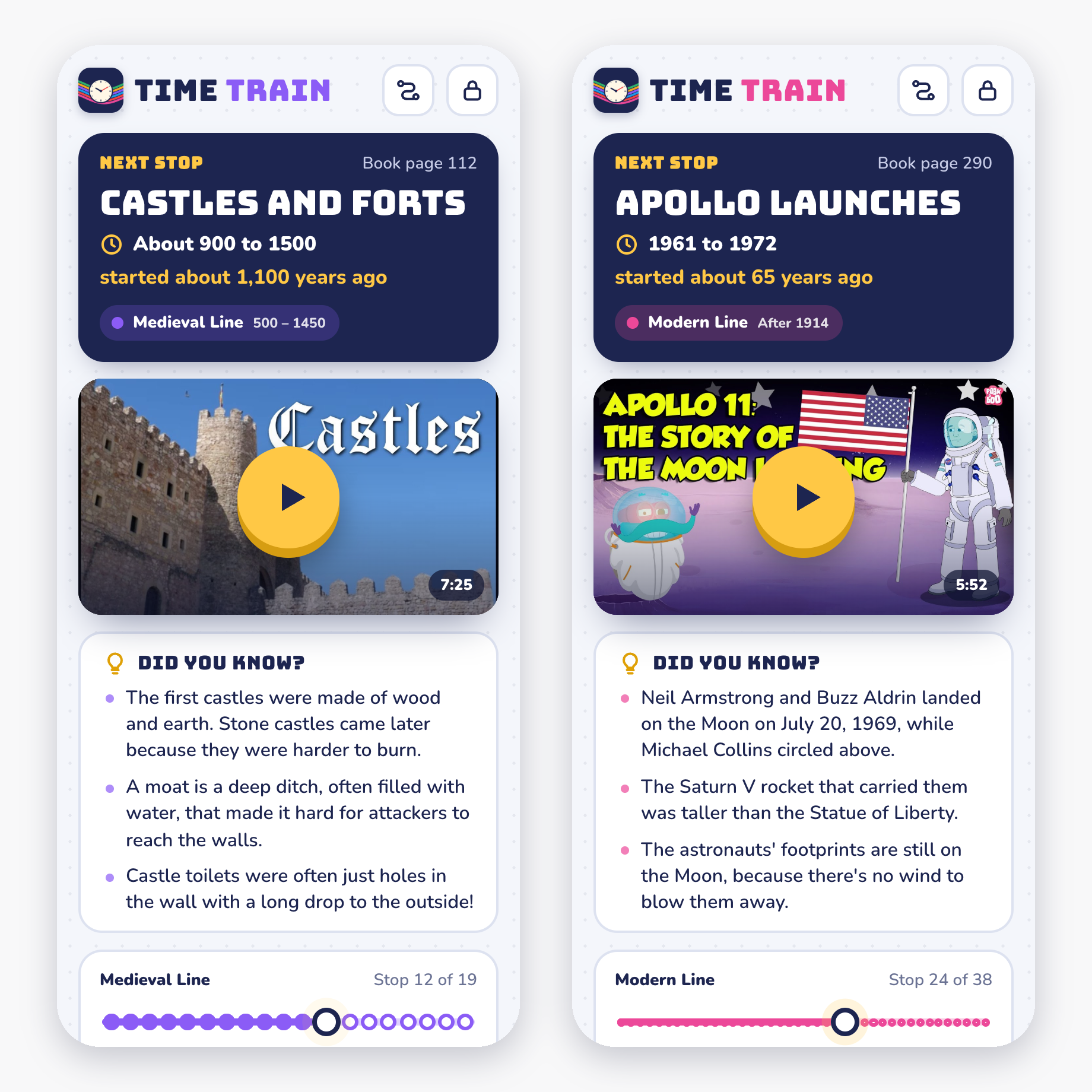
I’ve kept adding to it as we use it. After the very first use, I jotted down a few improvements I wanted to make. Now when you tap play, the video goes full screen automatically, and I added some overlays that make the player feel more like its own thing than YouTube’s. Embedded YouTube videos also still play ads, even if you have a Premium subscription, so I found a trick that mutes the video while an ad is playing and unmutes it once the ad is done, which I’ve since carried over into Rad Mobility too. Each stop also got a few “Did you know?” facts you can read before the video starts, along with when it happened and roughly how many years ago, so you have a sense of where it sits in history.
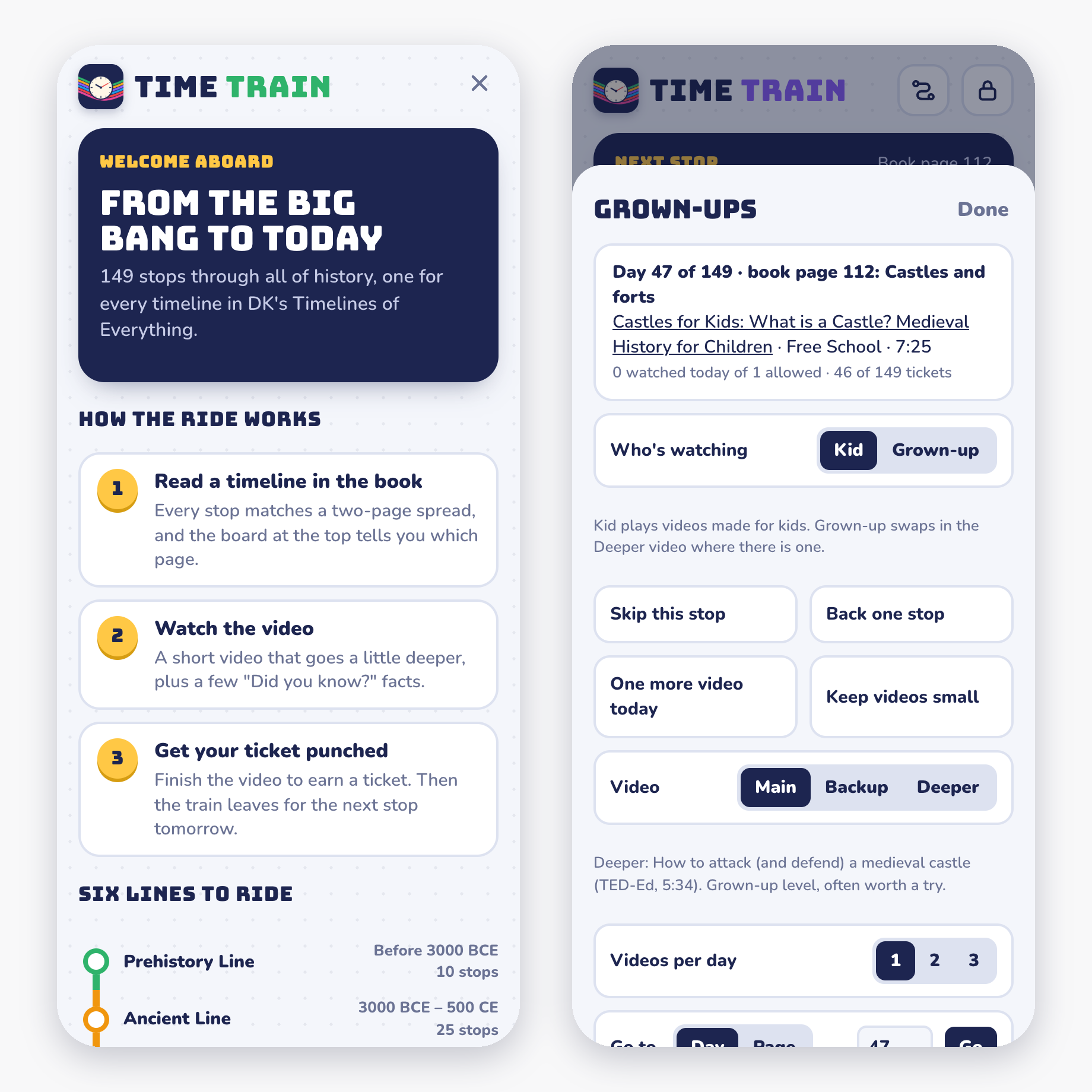
To satisfy my own craving, and because there were topics she wanted to go deeper on, I added more advanced videos from channels like National Geographic and Kurzgesagt to 136 of the stops. They can be a little dense for her and they’re hit or miss, but when they land she really enjoys them. Once I realized I wanted to share it with others, I added a welcome screen that introduces the idea and how it works, and an optional way to save your spot with just an email so you can pick up where you left off on any device. The email itself is never stored, it’s turned into a scrambled code before anything is saved.
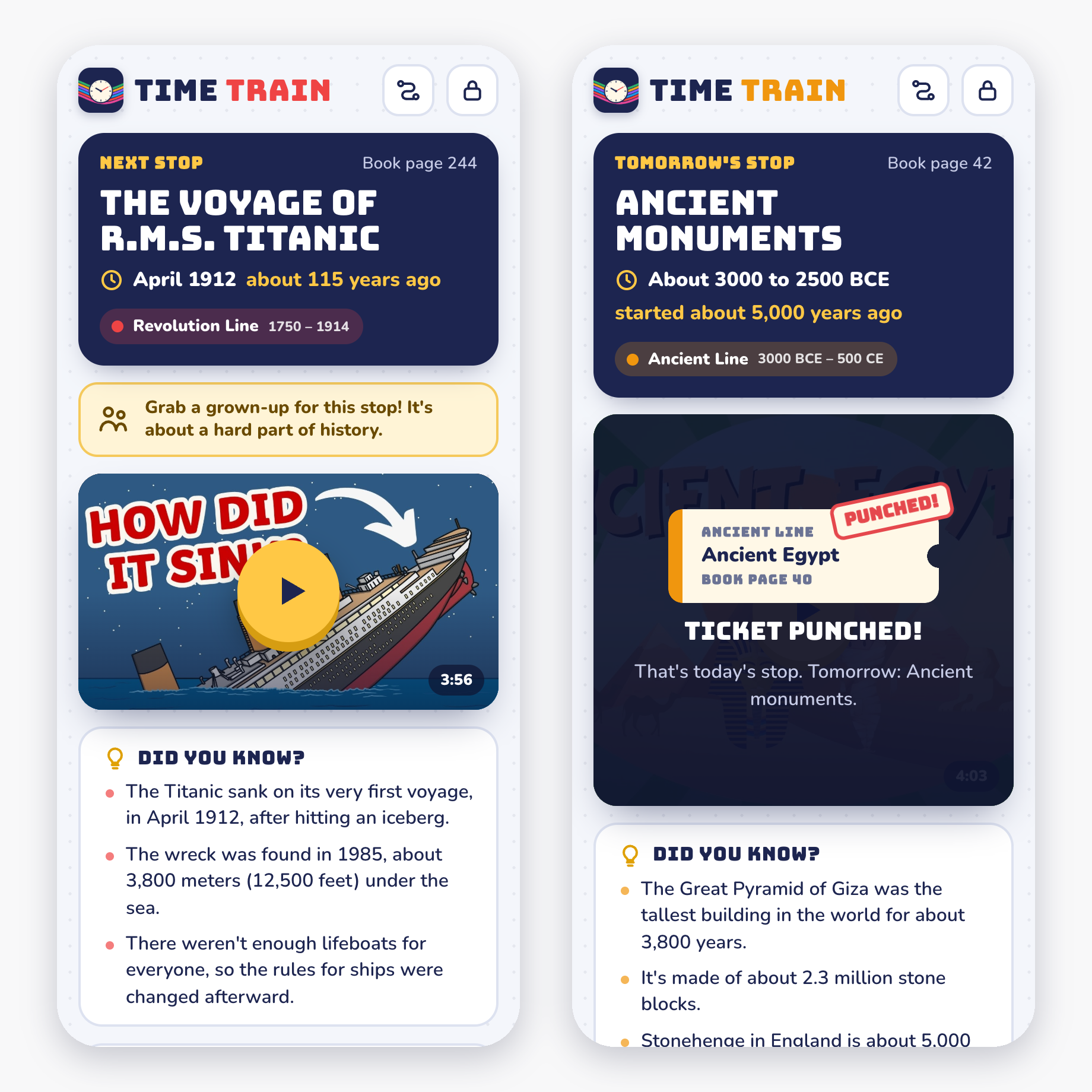
A few things I did to make it kid-friendly, since this is something she uses on her own:
- It opens straight to the next stop, so there’s nothing to scroll through or choose.
- It’s one video a day by default, and the grown-up settings sit behind a lock you have to press and hold.
- Invisible shields cover the parts of YouTube’s player that link out, so a tap can’t wander off to YouTube.
- When an ad does play, a big “Tap Skip” arrow points at the skip button if there is one.
- Twenty-three stops about war, disaster or loss show a “Grab a grown-up” banner.
- Every stop has a backup video, since Claude picked them by channel, title and length rather than watching all 149.
And what it’s built with:
- A single web page in plain HTML, CSS and JavaScript, with no framework and no build step
- A list of all 149 spreads and their videos, which is just a text file I can edit
- YouTube’s embedded player, with the app’s own screens layered on top
- The code on GitHub, copied onto this site, which runs on Railway, every time I push a change
- A tiny server on Railway for the optional email sign-in
- Claude Code, which wrote all of it
The first version was live about two hours after I first described the idea, and the whole first evening was about three and a half hours. Everything since has come in a few shorter sessions as we’ve used it.
It’s a personal project and isn’t affiliated with DK, but if you have a kid who’s into this book, you’re welcome to use it at michaelrad.me/time-train, and the code is on GitHub if you’d like to make your own version for a different book.